![vCreative_Logo_RGB.png]](https://vcreativeinc.com/hs-fs/hubfs/vCreative_Logo_RGB.png?width=200&height=38&name=vCreative_Logo_RGB.png)
If your vPromotions account has a blank calendar or if you can't see some PRF's on your calendar, it could be related to your filter settings.
In vPromotions every user's account has filters so you can adjust what you do or don't want to view on your calendar.
The main filters you will immediately see in your account are for PRF types and for time period views.
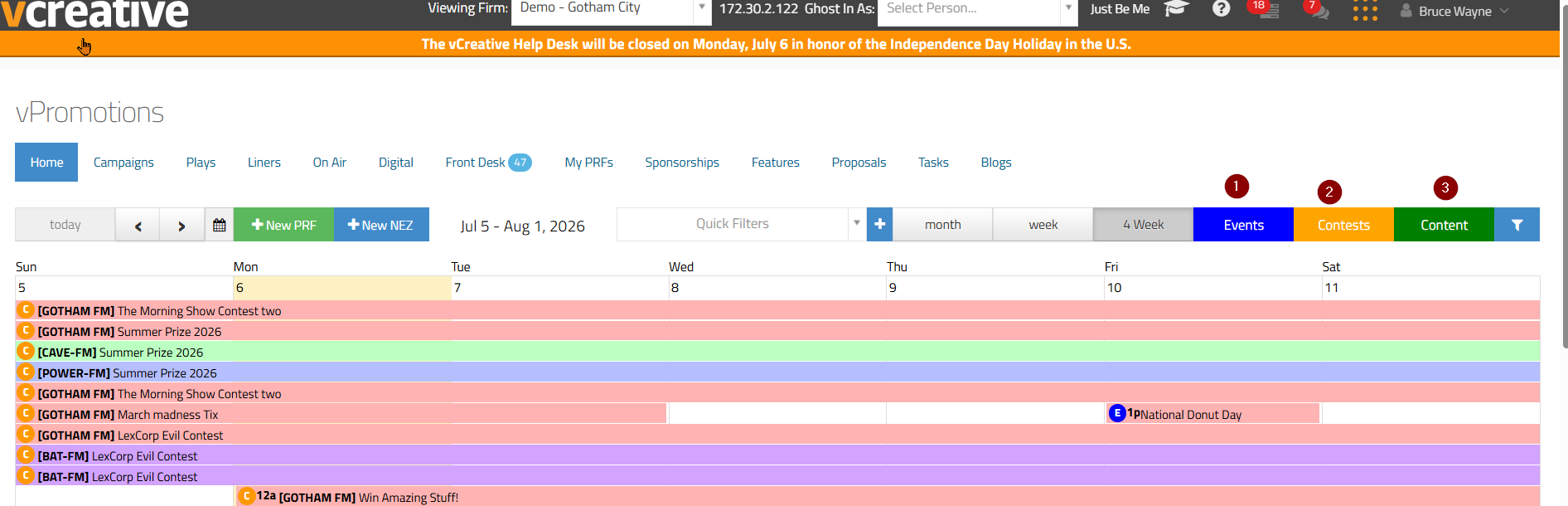
1. Events - the event filter allows all event type PRF's to show on your calendar: remotes, live shows, van hits, etc.
2. Contests - the contests filter allows all contest type PRF's to show on your calendar: on air giveaways, website contests, etc.
3. Content - the content filter allows all content type RPF's to show on your calendar: social media, text blasts, etc.
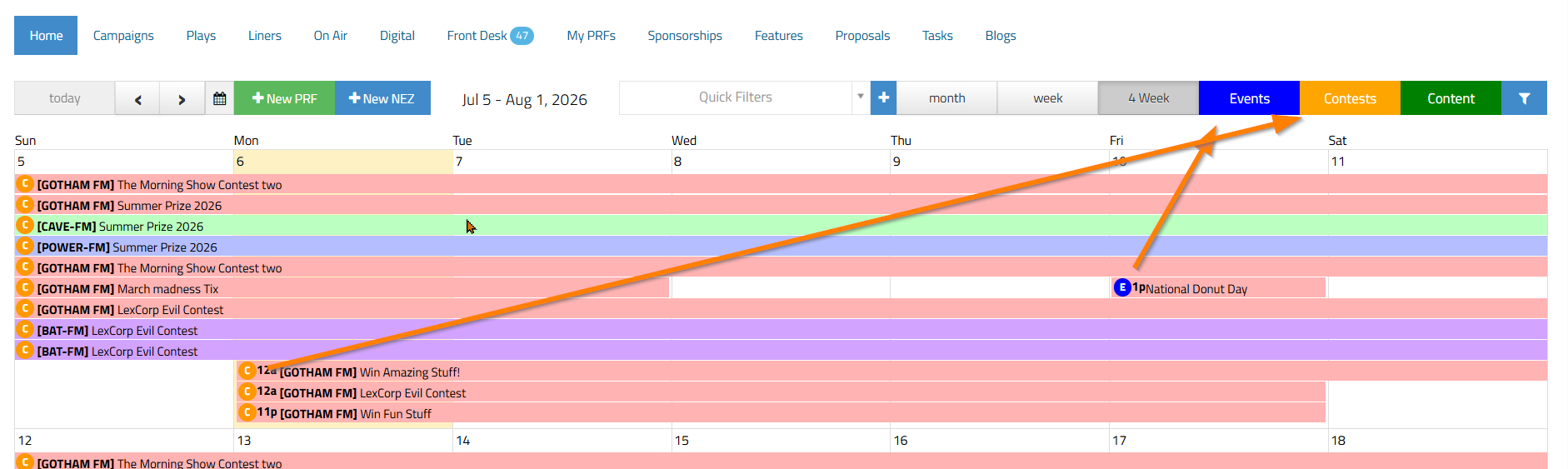
Alternatively, if you turn one of those filters off, the PRF's in that type will disappear from your calendar page. This is often where users get stuck, wondering why they can't see certain PRF's. A 'type' filter could be off. You can tell they are on or off by the filter color. A bright color means they are on/showing. A shaded color means they are off/not showing.
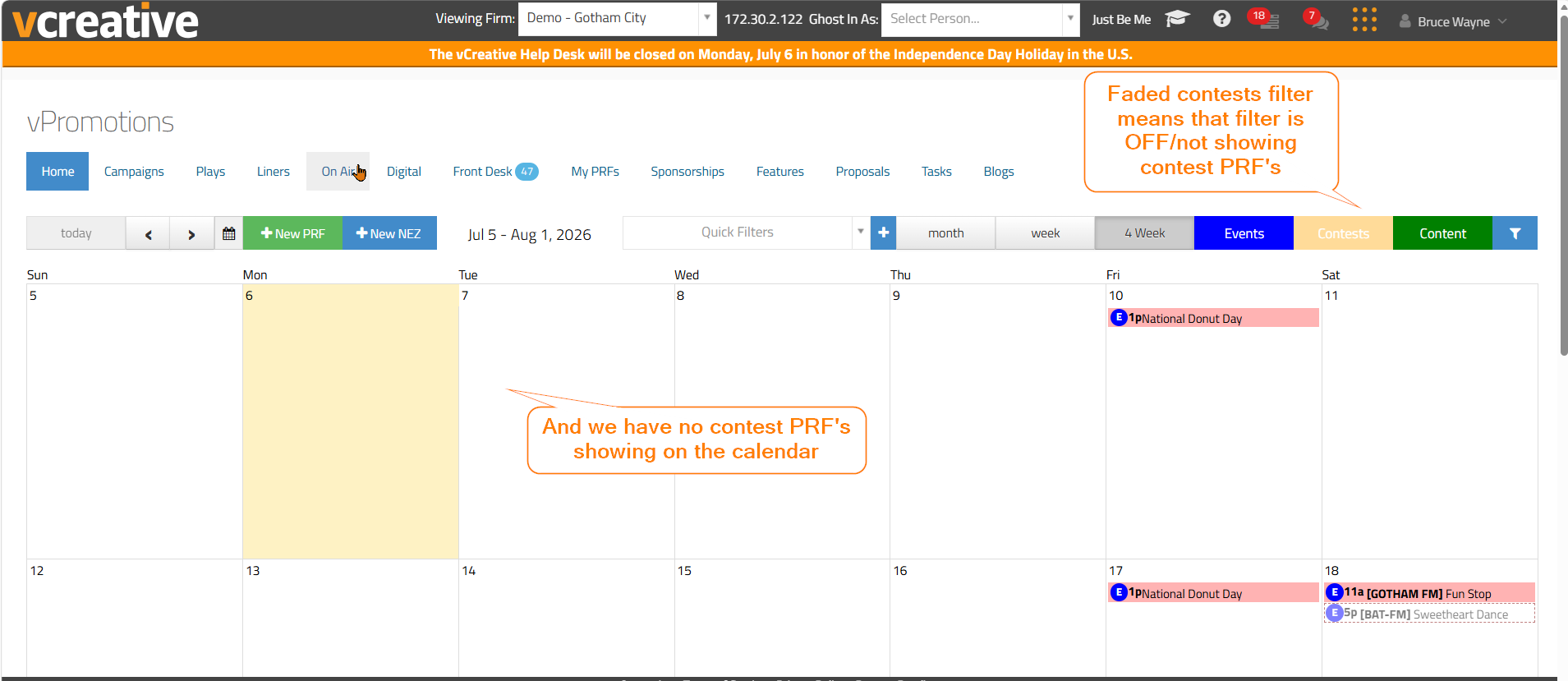
There are also quick clues by looking at the calendar to know which PRF type they are. For the PRF's on the calendar with a small orange 'c', those are contests. If there is a small blue 'e', that is an event. And of course a small green 'c' would be content type PRF's.
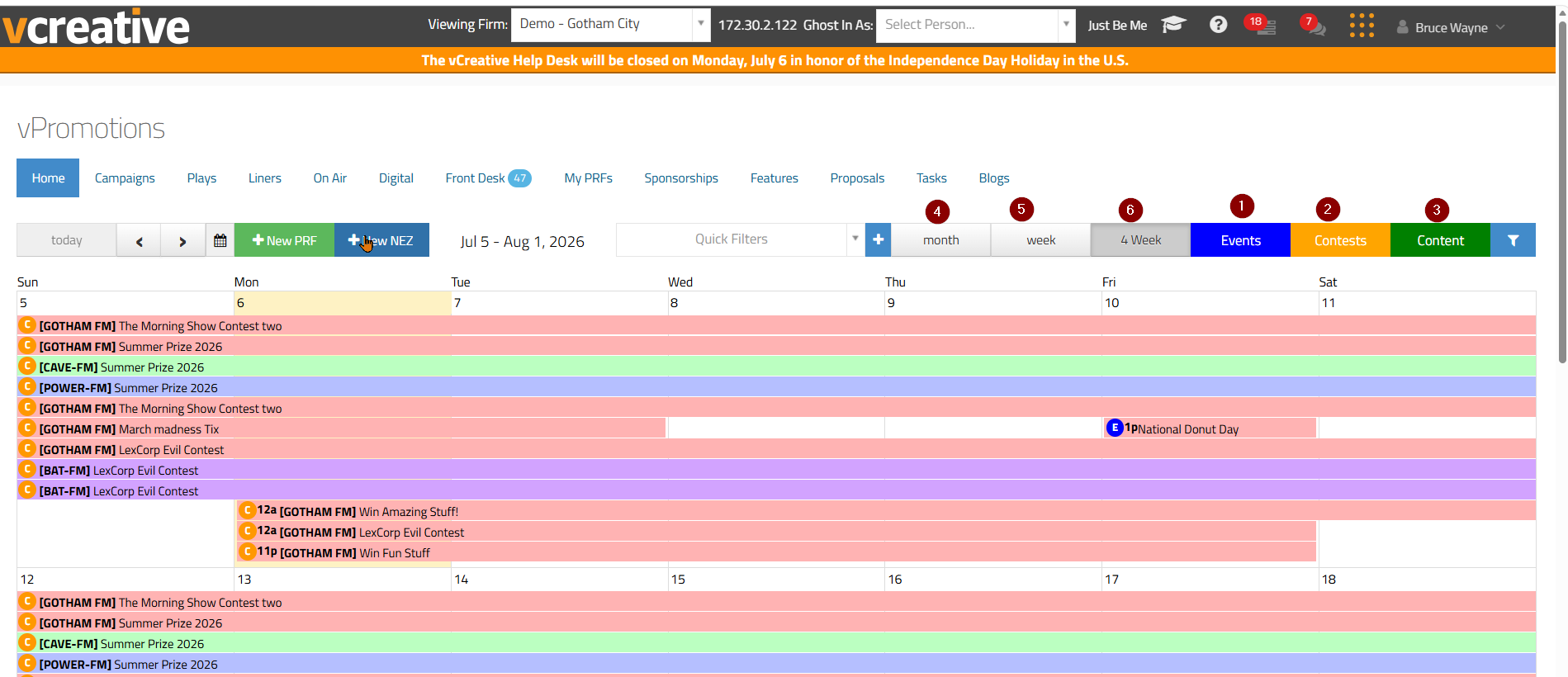
4. Month - the month view on the calendar will show you the full month of PRF's.
5. Week - the week view on the calendar will narrow down to show you only PRF's running the current week.
6. 4 Week - the 4 week view on the calendar will show the current week and the next three weeks on the calendar.
The Blue Funnel Filter Icon will also hold some filter options for you. The stations filter is one that often causes problems. A station might be turned off in the filter and that would cause any PRF's for that station to NOT show on your calendar. So be sure all the stations you need to see are turned on (checked).
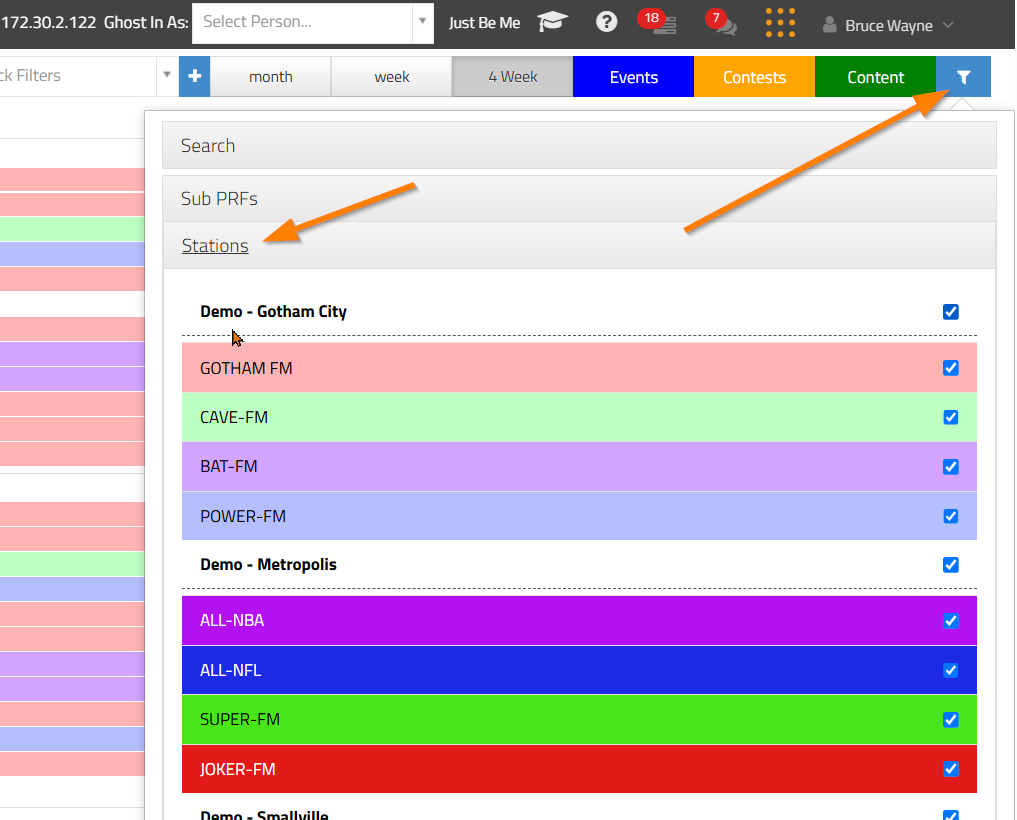
Also in the blue funnel filter icon:
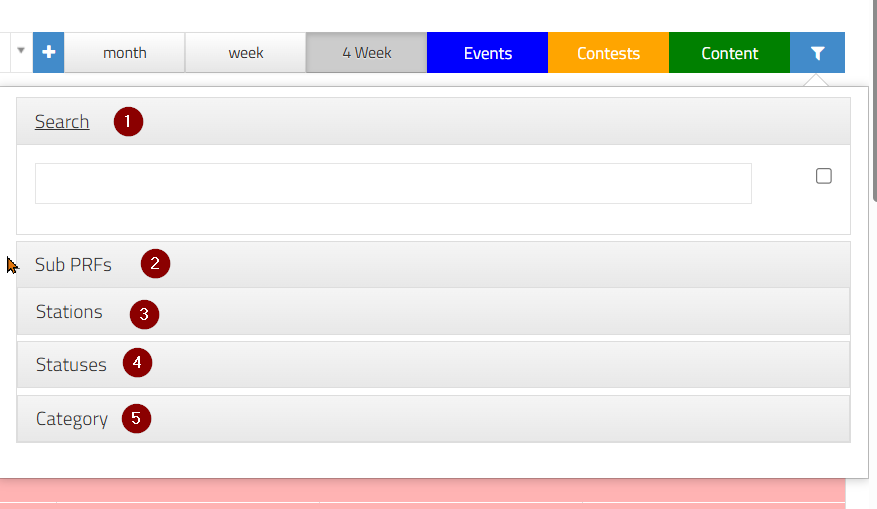
1. Search tool, where you can search for any PRF's by title, client or station and then your calendar will narrow to those views.
2. Sub PRF's. If you are using the Campaigns feature, the sub PRF's tool will allow you to hide Sub PRF's from your calendar view.
3. Stations (see above)
4. Statuses, where you will see all the different statuses a PRF can have and you can opt in on whether you want to see them on your calendar view.
5. Category, where you will see all the different PRF's categories you have access to and you can opt in on whether you want to see them on your calendar view. The best practice to everyday use it to have them all on.
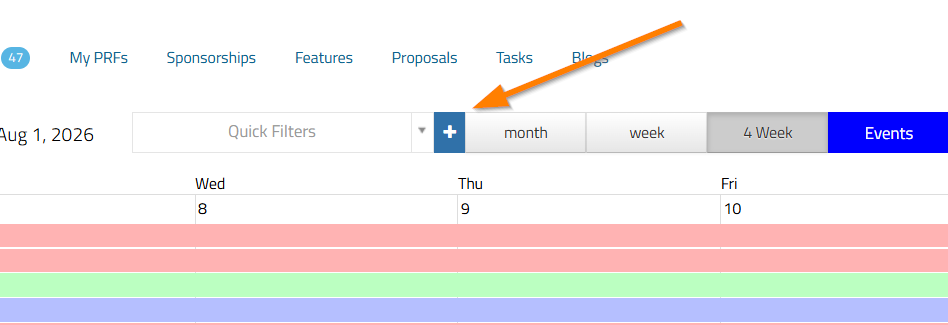
One more filter feature is the Quick Filter feature, where you can create your own filters using the blue plus sign. Find out more about that feature HERE
If you have any questions about your personal Quick Filters, contact the vCreative Help Desk! Email support@vcreativeinc.com or call 1-800-605-9889.