![vCreative_Logo_RGB.png]](https://vcreativeinc.com/hs-fs/hubfs/vCreative_Logo_RGB.png?width=200&height=38&name=vCreative_Logo_RGB.png)
 NEW AI Features require an AI subscription and are not enabled by default. Interested? Reach out to sales@vcreativeinc.com for more information.
Step-by-Step Instructions
- Be sure that you are enrolled in vPromotions AI Features (see above).
- Enable Idea Requests and Proposals.
- As a Firm Admin, go to Settings/Firm/Firm Options.
- "Enable Idea/Proposal Workflow" should be checked.
- Click on Idea Request Approval Process and select which abilities will approve Idea Requests in order. (NOTE: The last approver must create the proposal.)
- Click Save at the bottom of the page.
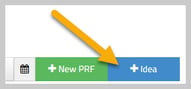 Once enabled, Sales People and Sales Managers have a "+Idea" button added next to "+New PRF". Clicking that opens the Idea Request form for inputting the information from the client or agency about the requirements and what is being provided for the promotion.
 At the top of the form, they will see the new "AI Autofill" button. This opens an AI Chat window that lets the AE speak, type, or paste in the specifics from the client to automatically complete the Idea Request form. The information can then be manually edited or added to in the form before saving.
- The request will then be routed through the approval process with the last approver (usually the Promotions Director) receiving a "Create Proposal" task after approval.
- With AI Idea Requests & Proposals enabled, as soon as "Create Proposal" is clicked, the proposal form will open and vPromotions AI will generate a complete promotional idea from the information provided in the Idea Request. The idea will appear in the Description field with more details in the Additional Info field.
- If the idea is good, it can be used as is, or the proposal can be edited to make tweaks to the AI generated promotion.
 If the idea is not good, the "New AIdea" button will remove the idea and create a completely new idea for the promotion, which can also be edited if needed.
- Once an acceptable idea is created, the deliverables can be enumerated in the "Promotional Items" and "In return for" sections.
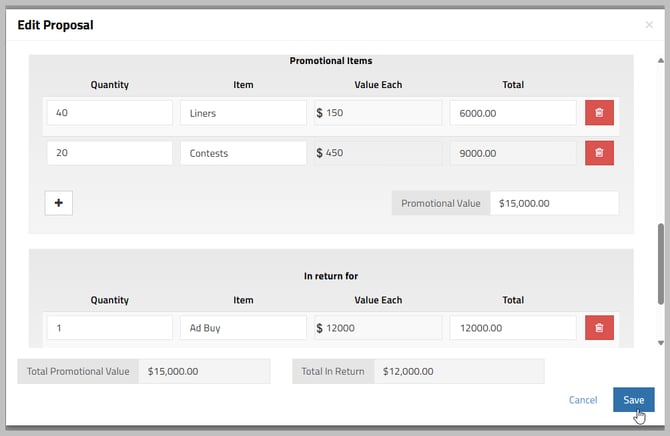
- When the proposal is saved, it can be edited later if needed.
- When the proposal is ready, it can be released to sales from the Proposals tab by clicking on the blue "Release to Sales" icon. The AE will then receive a notification, and can print or save the proposal directly from vPromotions and send it to the client.
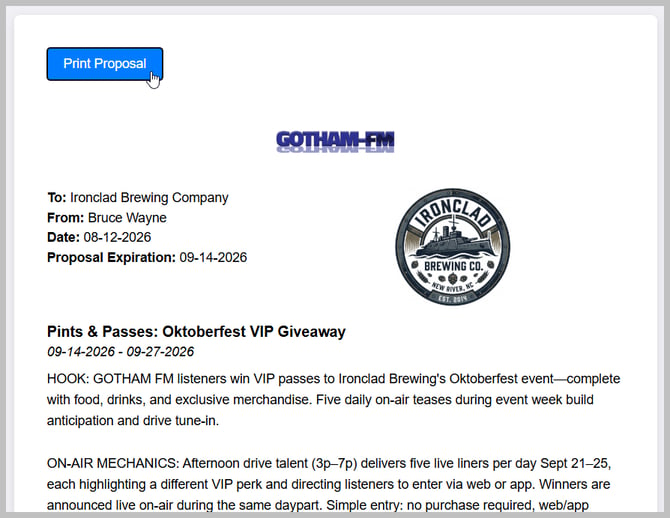
- When the proposal is agreed to, the AE can click "Sold It," and convert the Proposal directly into a PRF.
NEW AI Features require an AI subscription and are not enabled by default. Interested? Reach out to sales@vcreativeinc.com for more information.