![vCreative_Logo_RGB.png]](https://vcreativeinc.com/hs-fs/hubfs/vCreative_Logo_RGB.png?width=200&height=38&name=vCreative_Logo_RGB.png)
When your market first onboards in vPromotions you may do a Winner Import. The Winner Import tool allows you to pull in your previous winner's contact information and winning history.
The winner import doesn't include breaking down by specific station so we have a simple feature in place to help you add the stations to wins once the import is complete.
That feature is located in the Front Desk - Signed Document Requests view.
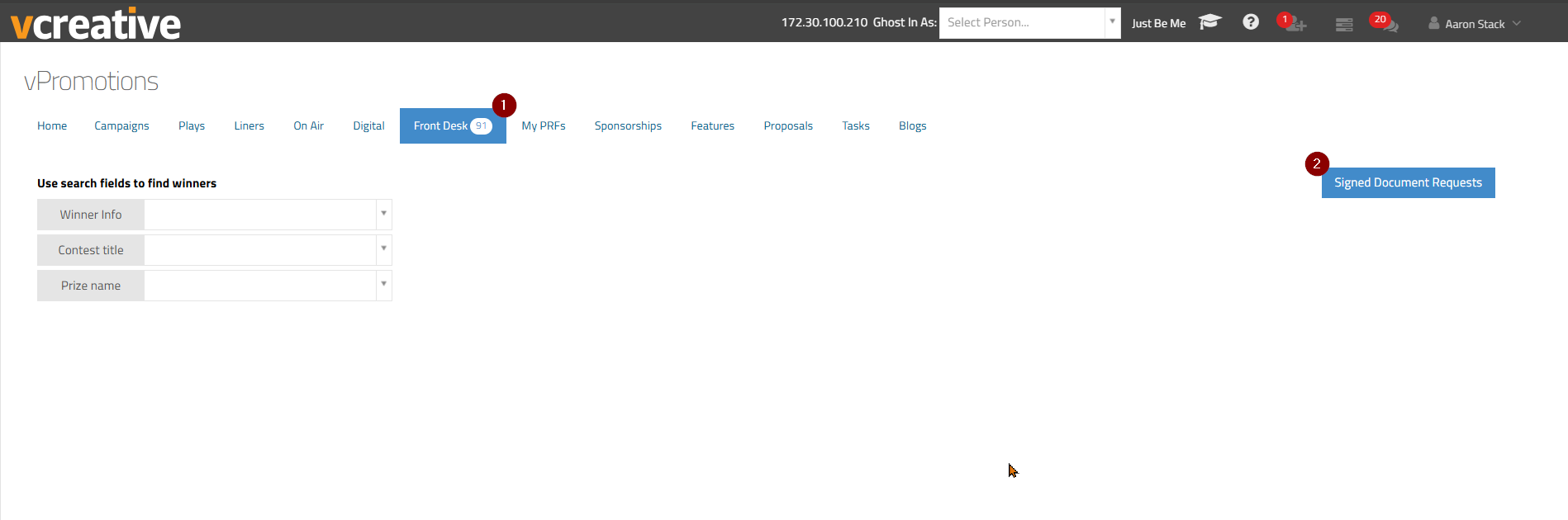
Once you click the link for the Signed Document Requests, you will be brought to a view of all the winners in your market who have won any prize on any station in the designated history period. The Prize Info field will read as 'Imported Win' and the station field will hold a dropdown option with all the stations you have access to. In that dropdown you can choose the station needed for that specific winner/prize.
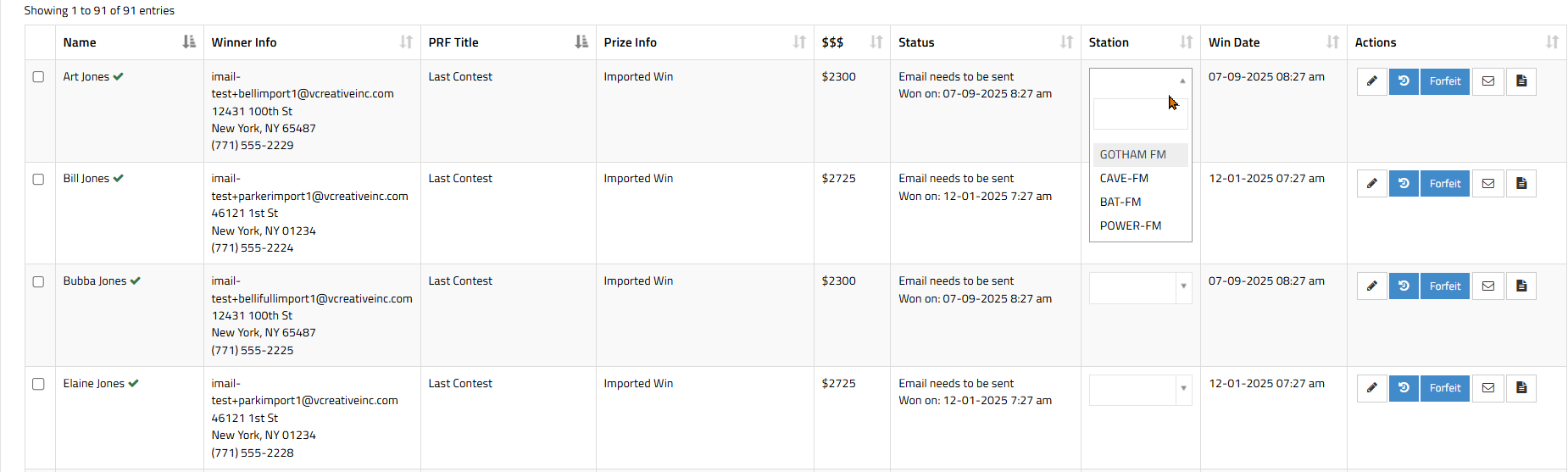
Once you choose the station, that prize and winner history will be associated with that station in any reports.
*Note: if you do not see the Signed Document Requests tab in the Front Desk tab, your firm doesn't have that feature turned on. That can be done back in your Settings - Firm Tab - Firm Options. For full details on the Electronic Documents feature and Signed Document Requests tab please see this tutorial - Electronic Signed Documents
*Note: to adjust the designated history period that can also be done back in your Settings - Firm Tab - Firm Options. For full details on the Electronic Documents feature and Signed Document Requests tab please see this tutorial - Electronic Signed Documents