![vCreative_Logo_RGB.png]](https://vcreativeinc.com/hs-fs/hubfs/vCreative_Logo_RGB.png?width=200&height=38&name=vCreative_Logo_RGB.png)
What’s New
Client Name Change Warning on Multi-Spot Orders
With this release, vPPO now prevents accidental Client Name updates across multi-spot orders. Because vPPO requires a single, consistent client name for all spots within a multi-spot order, changing the name on one spot affects the client on the entire order.
How it Works
Now, when you add a spot to an existing order or update it via a revision and change the Client Name, a pop-up warning will prompt you to confirm or cancel the change before it applies.
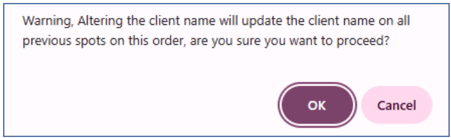
Clicking OK will change the Client Name on all spots on the Order. Clicking Cancel will return you to the Order with the original Client Name still listed.
Scope & limitations
This feature is available to all markets.
Why it helps
This feature provides a safeguard against unexpected Client Name changes.
Assign Production Cost to a Specific Market
With this release, when a multi-market user opens the Production Costs link, a newly formatted price grid includes a market drop down, allowing the customer to assign production costs to a different market.
How it Works
Select Production Costs in the List View:
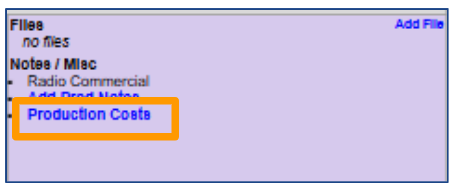
A new drop-down at the top of the screen will default to the user's home market.
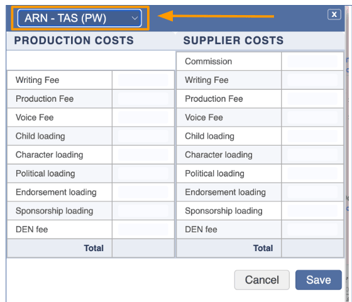
To assign production costs to a different market, select the market in the drop-down. The appropriate market will be specified on the Production Costs report.
Scope & limitations
This feature is available only to firms working with the Production Costs feature.
Why it helps
This change allows for more accurate, market-level reporting for markets using the Production Costs feature in vPPO
Need help?
To learn more or if you have any questions, contact the vCreative Help Desk.