![vCreative_Logo_RGB.png]](https://vcreativeinc.com/hs-fs/hubfs/vCreative_Logo_RGB.png?width=200&height=38&name=vCreative_Logo_RGB.png)
If you are a vCreative user and you have access to multiple vCreative products, you can easily move between products in your account with just one login.
To access the product you want initially, you will choose that product from your initial login dashboard. When you first login to your vCreative account you will be brought to this product dashboard. This dashboard will house direct links to each of the vCreative products you have access to. From this dashboard simply choose the product you want to navigate to first.
NOTE: If you have only one vCreative product you will not have this dashboard, but instead will be brought directly to your single product account
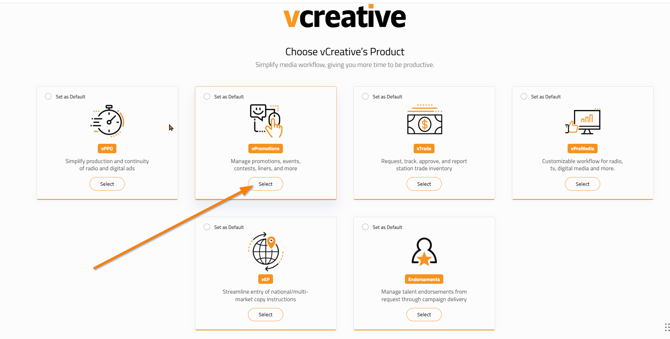
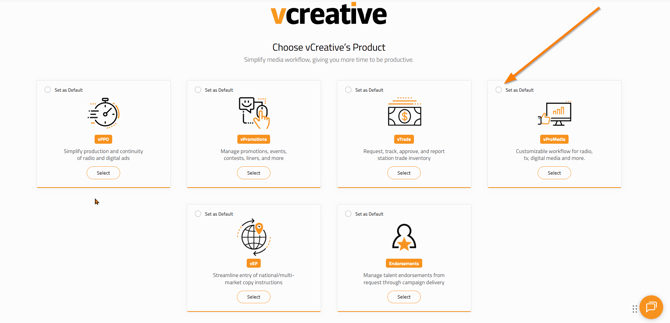
If you work in one of the products you have access to more than others, you can choose to mark that product as your default product. Once you make a product a default product you will be brought directly to that product when you login rather than being brought to the product dashboard first.
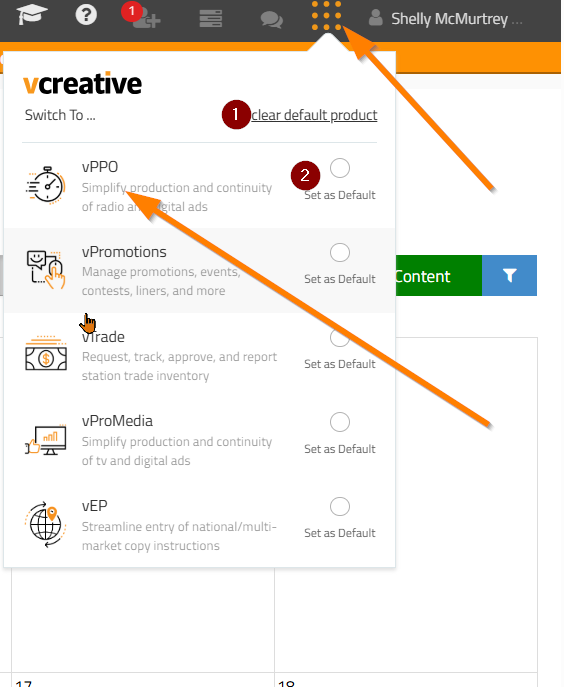
Once you are in a product, you can navigate to your other product(s) by using the icon in the upper right corner of your account to the left of your name which looks like a waffle (9 orange dots in a square). Clicking that waffle will open a dropdown which has all the products you have access to and you can simply click on that other product to move between products. So for example, if you are in your vPromotions account and you want to move to vPPO or vProMedia, this is the location you would do that.
In this dropdown you can also choose to clear any default product you had set and set another product as default.
Clicking the waffle again will close the product dropdown.
If you have any further questions please feel free to reach out to our vCreative Support Team by emailing support@vcreativeinc.com or calling 1-800-605-9889.