![vCreative_Logo_RGB.png]](https://vcreativeinc.com/hs-fs/hubfs/vCreative_Logo_RGB.png?width=200&height=38&name=vCreative_Logo_RGB.png)
The Campaigns tab is the second tab down in the left navigation menu. It displays all Campaigns.
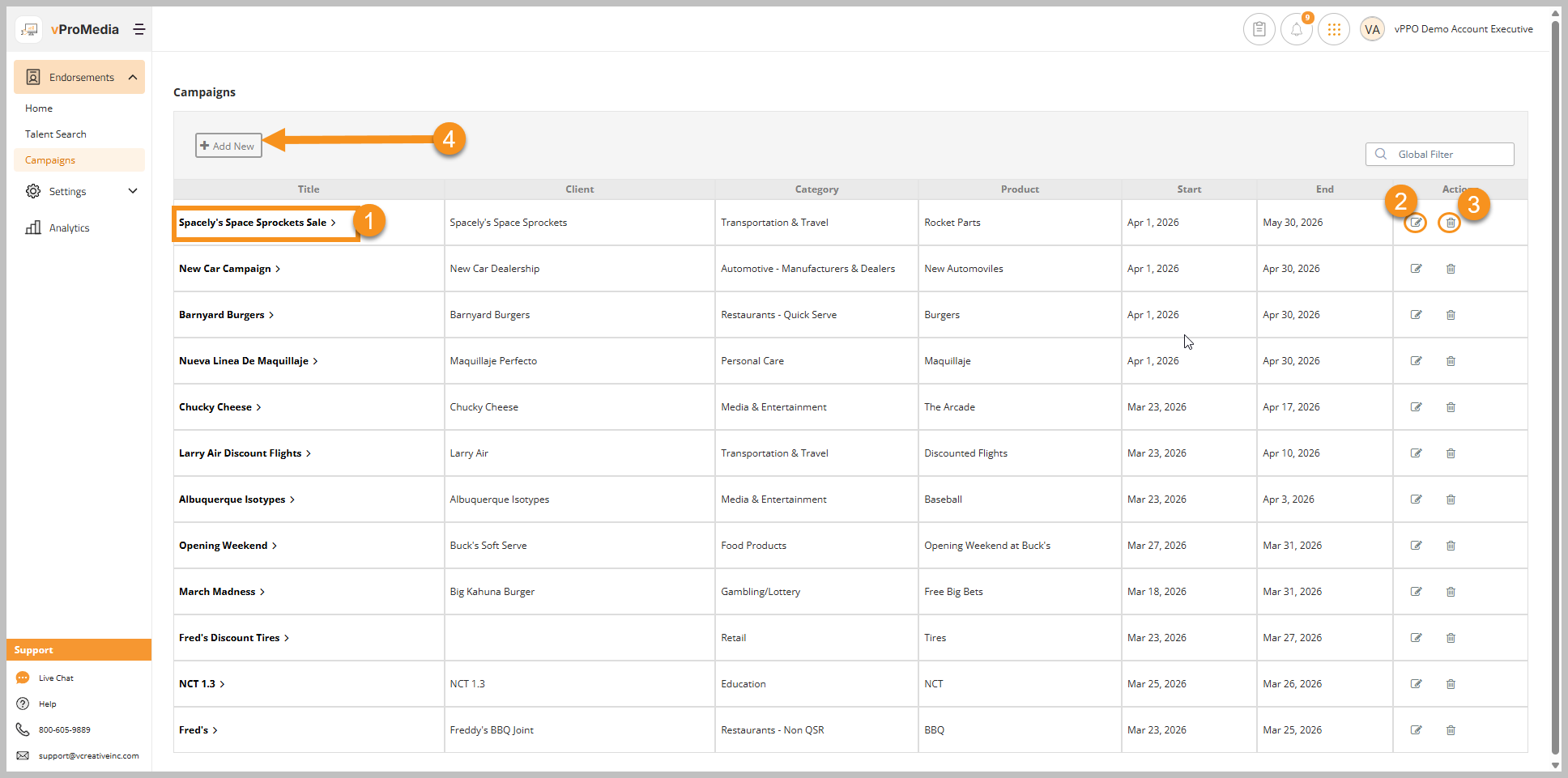
From the Campaigns tab you can:
- Click the Title of the Campaign to view the Campaign Dashboard
- Click the edit (pencil) icon to edit a Campaign's details
- Click on the delete (trash can) icon to delete a Campaign
- Click the + Add New button to create a new Campaign and then add Talent
Account Executive and Talent only see their own Campaigns listed there. Everyone else will see all Campaigns listed.