![vCreative_Logo_RGB.png]](https://vcreativeinc.com/hs-fs/hubfs/vCreative_Logo_RGB.png?width=200&height=38&name=vCreative_Logo_RGB.png)
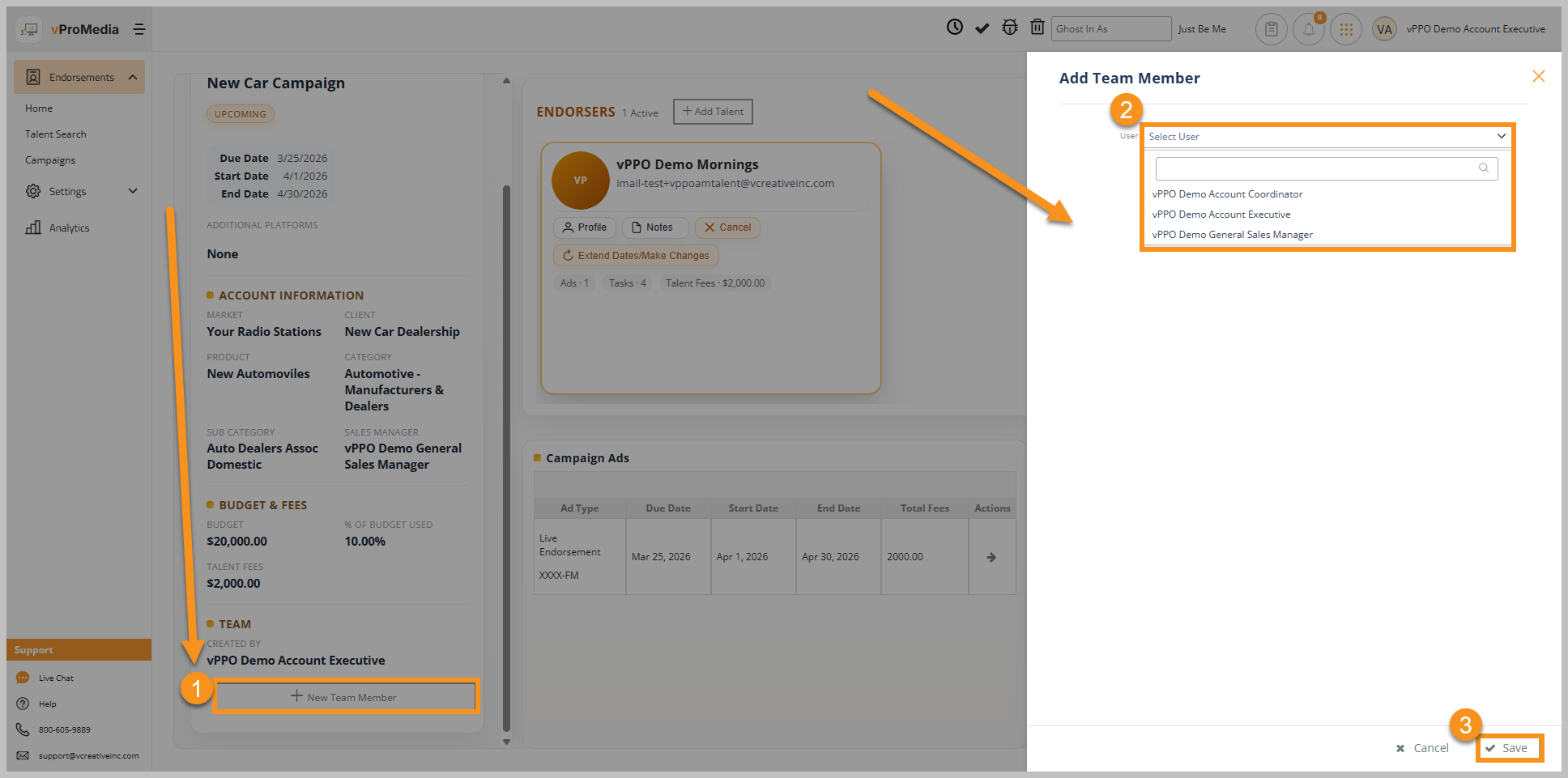
- On the Campaign Dashboard at the bottom of the Campaign Information in the left panel click on + New Team Member
- Select an Sales Team member from the dropdown list
- Click Save, and the added Team Member will get a notification email alerting them that they have been assigned to the campaign. They will then have all of the access of the original Campaign Creator.