![vCreative_Logo_RGB.png]](https://vcreativeinc.com/hs-fs/hubfs/vCreative_Logo_RGB.png?width=200&height=38&name=vCreative_Logo_RGB.png)
In vProMedia, you can export information based on the attributes you choose.
How It Works
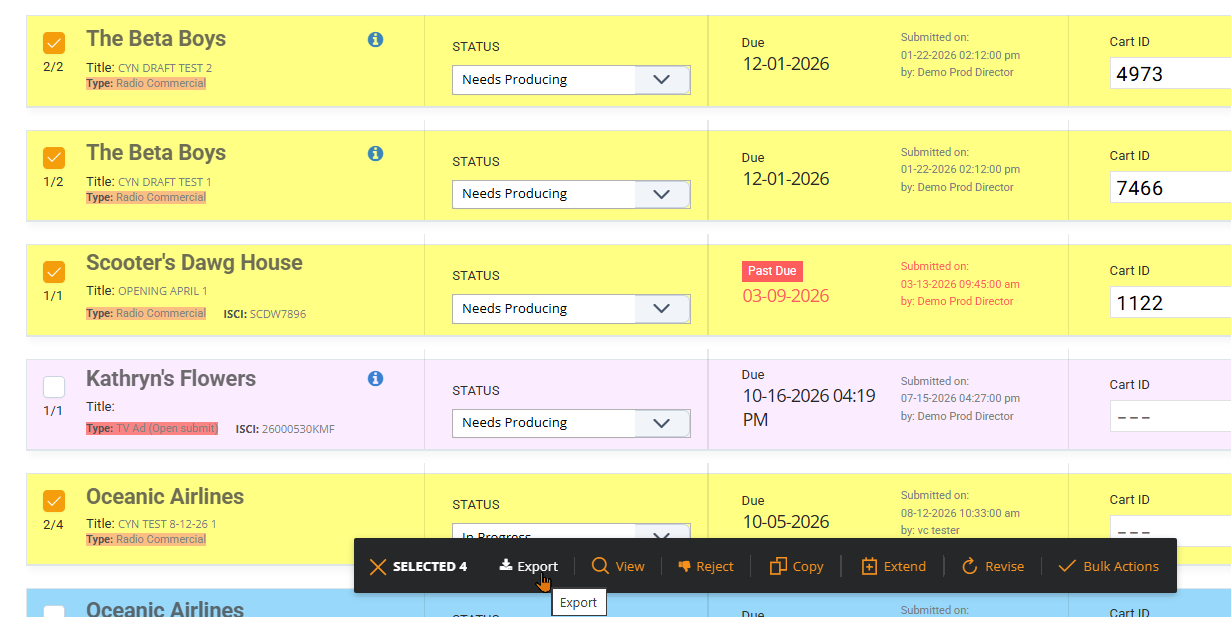
Create an export by choosing the orders you would like to export and choose Export in the Bulk Actions Tab.
In the Export slide out, choose your Export Option and the attributes you would like to view once the export is complete. The list of attributes can be moved using the tool to the left of the attribute.
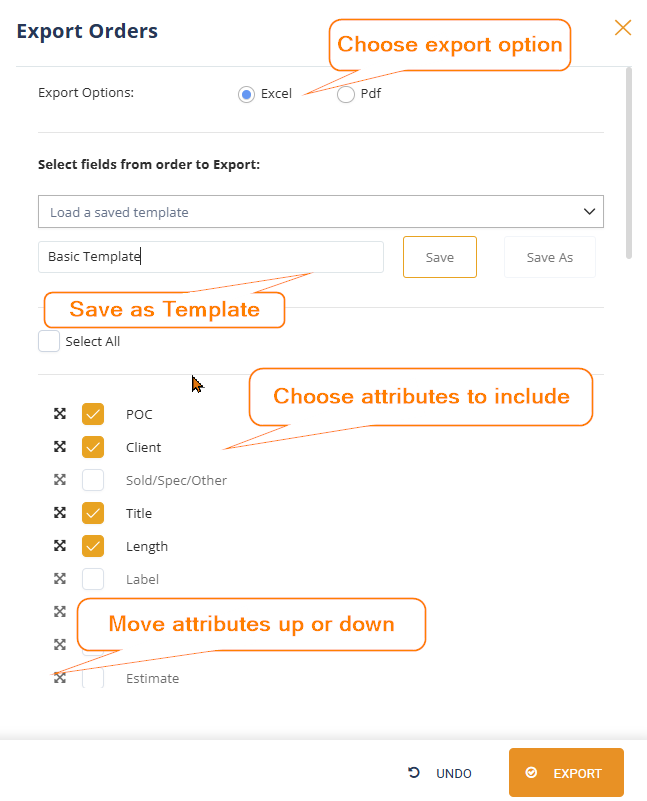
After selecting the fields needed for the export, the preferred export settings can be saved for future use under a Template Name. This allows the same field selection to be reused the next time similar information needs to be exported.
Chosen options will each have a column in the Export.

How This Helps
Different users and teams often need different information from vProMedia exports. One person may need an export for production tracking while another may need different fields for reporting or analysis.
Customizable exports allow the exported data to better match the user's purpose without requiring the same field selections to be recreated every time.
This can help:
- Include the information most relevant to a particular report or workflow.
- Reduce repetitive setup for recurring exports.
- Create more consistent recurring reports.
- Save time when the same group of fields is needed regularly.
If you have any questions regarding this process, please feel free to reach out to the vCreative support team by emailing support@vcreativeinc.com or calling 800-605-9889.