![vCreative_Logo_RGB.png]](https://vcreativeinc.com/hs-fs/hubfs/vCreative_Logo_RGB.png?width=200&height=38&name=vCreative_Logo_RGB.png)
The Advertiser Landing Page System (ALPS) is an advanced feature for sharing work with your advertisers for the purpose of review or feedback.
You can access the settings for ALPS through the "Client" and can configure the settings on a per-advertiser basis. This feature is mostly used for the various "Reviews" that may take place during your unique workflow. However, requests at any status can be exposed if you wish.
Setup and Usage
The “Client” list found in the “Settings” section of the left-hand navigation will only allow specific users to grant access to Advertiser Landing Pages. By default, this will be a group’s Production, Traffic, and Sales managers. Other users and roles can be granted access as well.
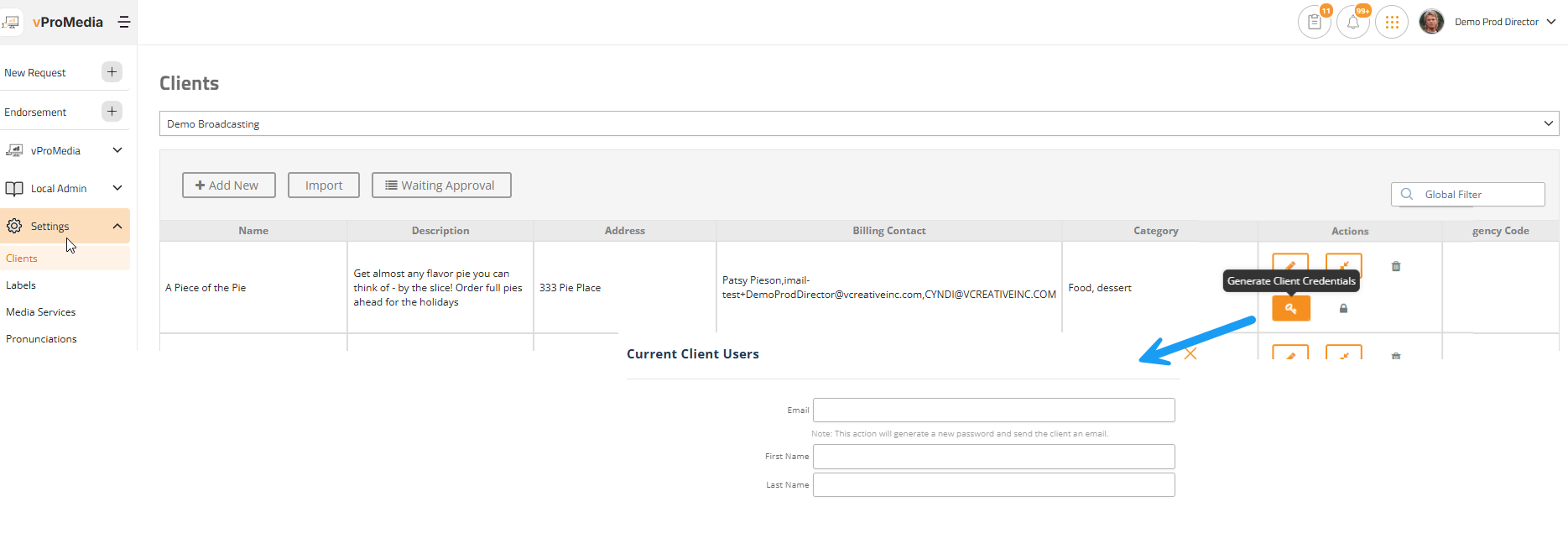
The “Key” icon is where you create the credentials, simply using an email address and first and last name. That sends an email with a link to the login page for that advertiser. When logged in, they will only be able to see the requests shared with them based on the “Access Settings” for that advertiser. You may want to establish the client’s “Access Settings” before creating the accounts.
Should the same person need access to multiple clients, the system will catch the reuse of their email and simply ask for you to confirm. That way, a multi-business owner only needs one set of credentials.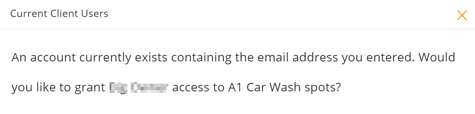
No need for multiple logins for the same person
Access Settings
The “Lock” icon is where you establish what is shown to your advertisers on their landing page. You have complete control over the statuses, Spec vs Sold state, time range, and their ability to comment on the requests.
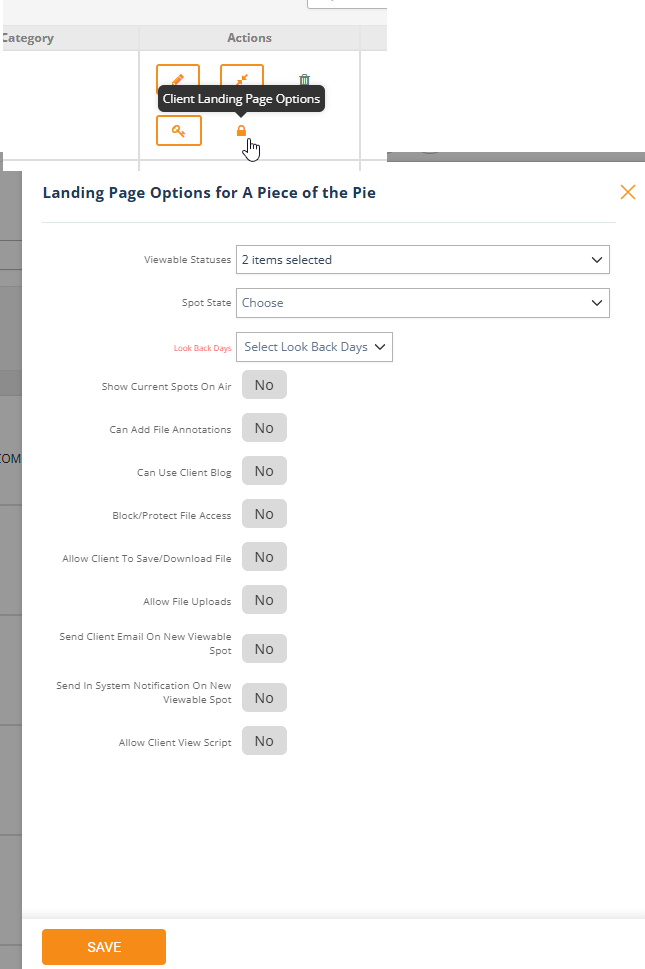
Narrow or broaden views for your advertisers
When you generate credentials for the given address it includes the link for them to save/use.
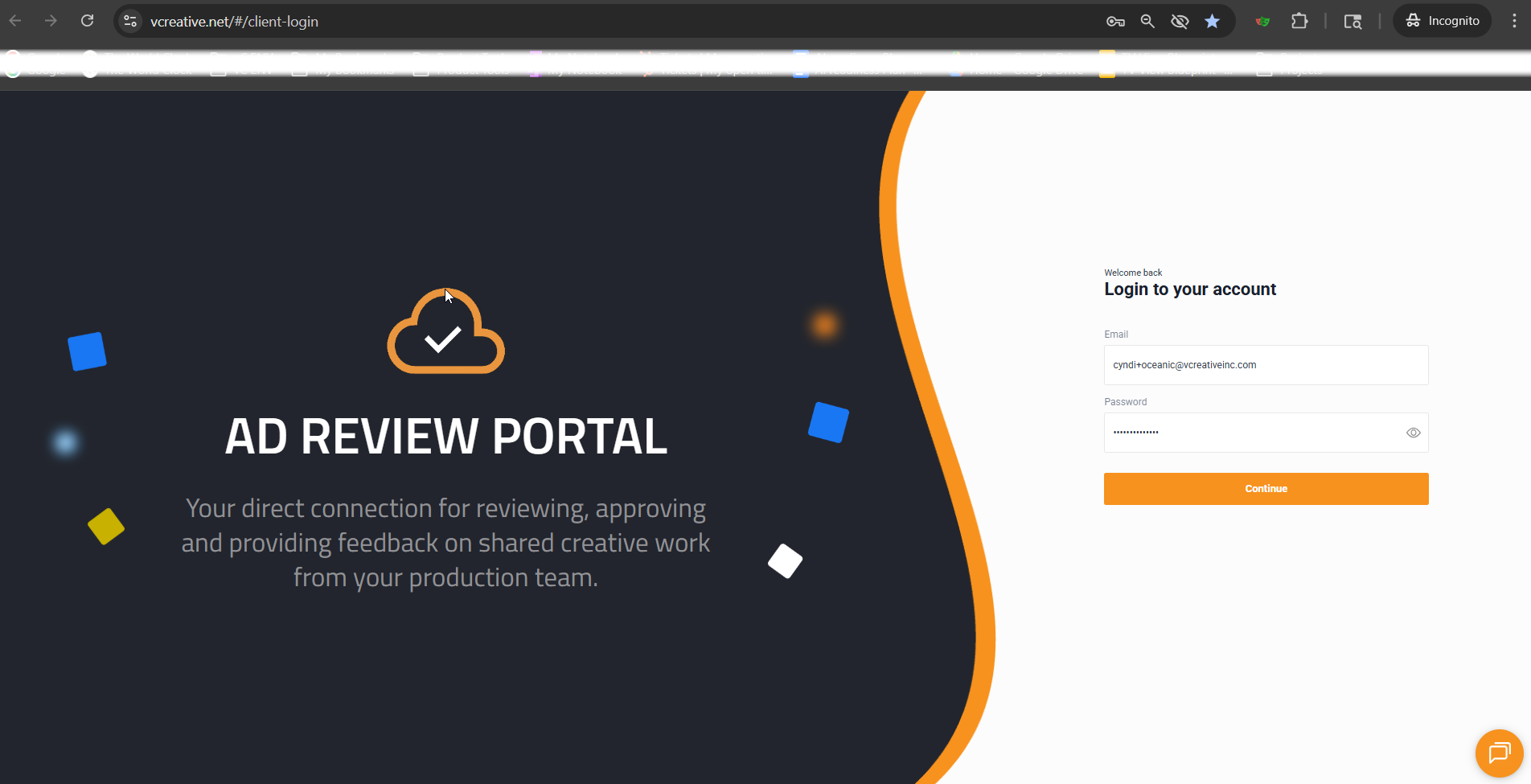
An advertiser logging into their landing page sees a simple “list view” of what you have set to be shared with them.
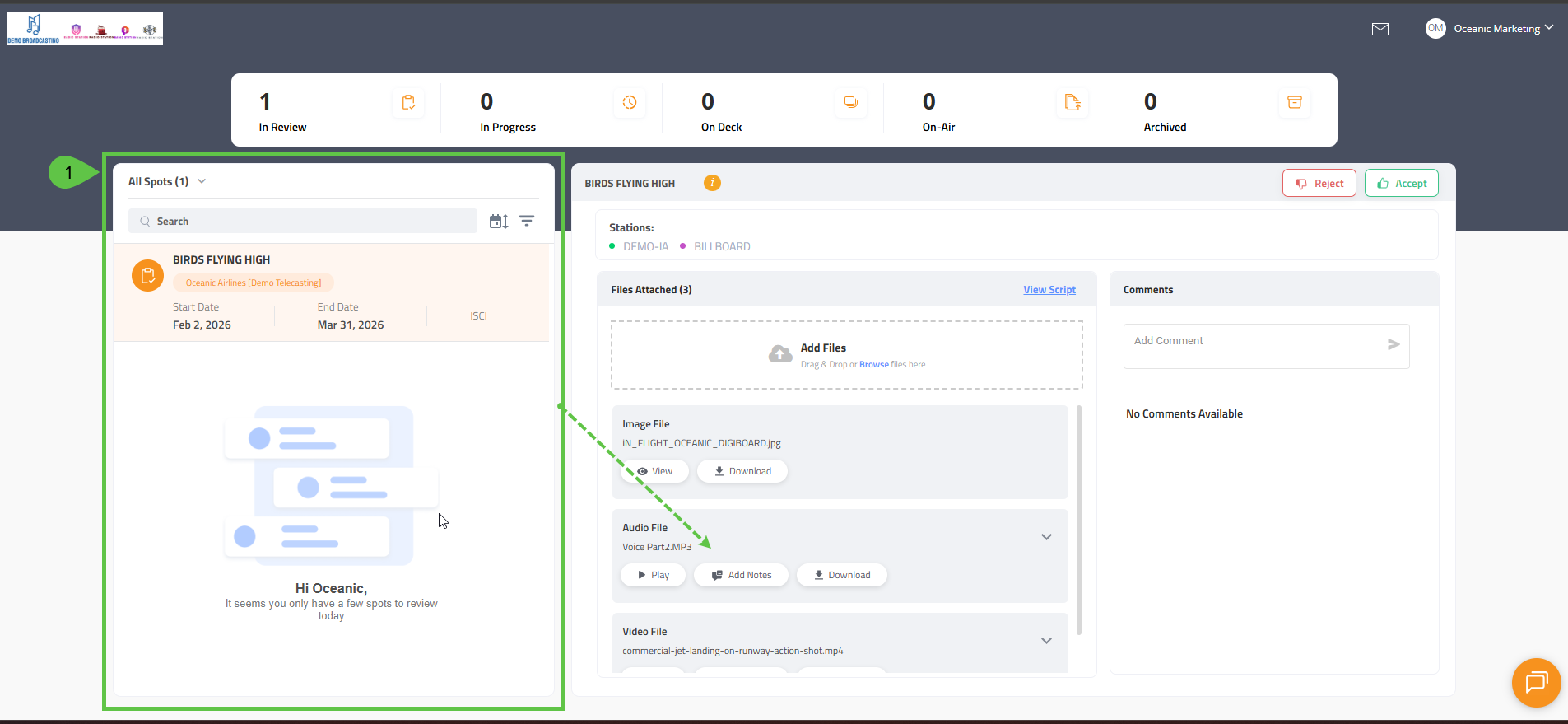
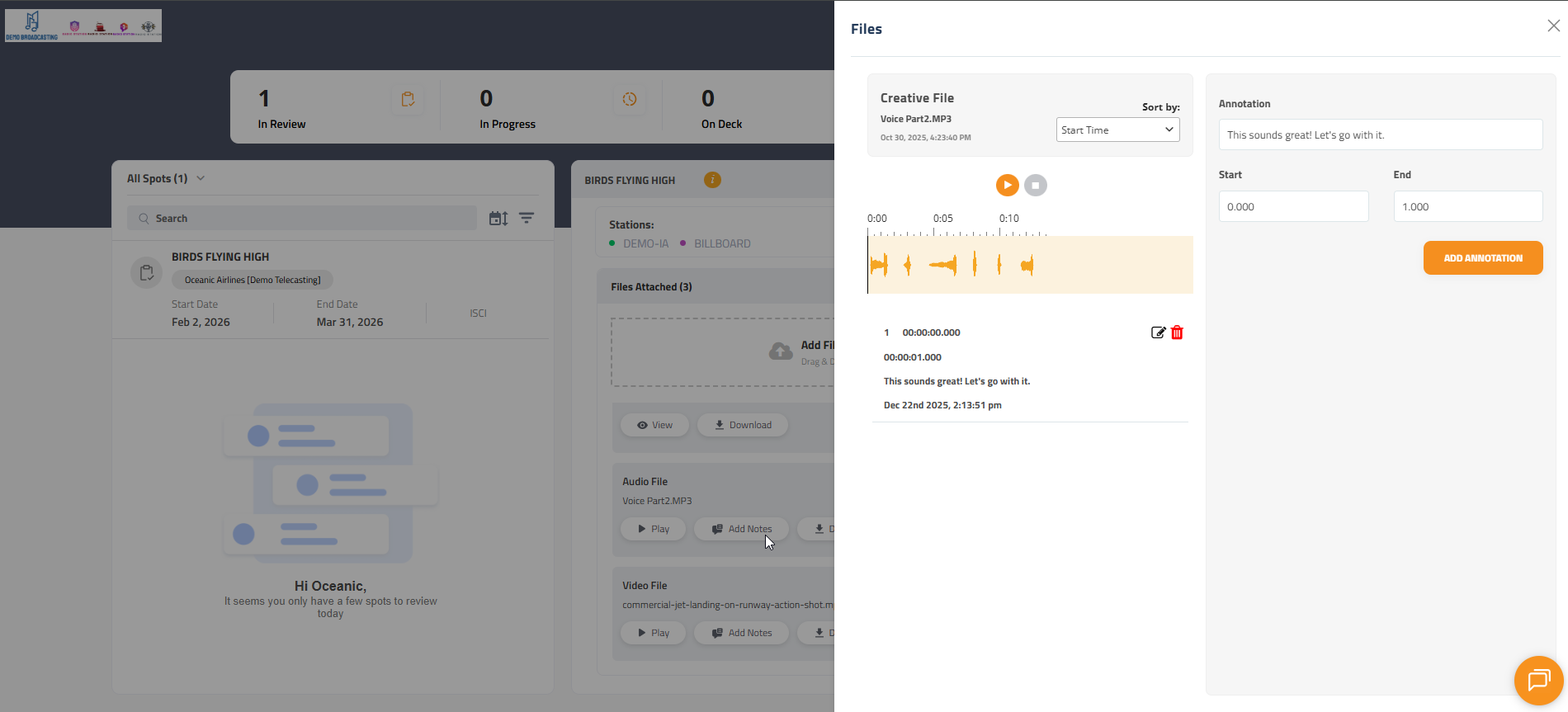
Here they can add comments that are added to your internal Blog for the request, play attached media files, and Approve and Deny reviews.
A simple and condensed listing of requests for your advertisers
The same email/password can be used by an advertiser to access multiple "Clients" if they happen to be in charge of or own multiple advertising locations. In this case, those user accounts will see additional dropdowns at the top of their landing page to sort filters which to show at a given time.
Media can be played and paused. Comments posted will have a timestamp included for very clear communication of the "when" not just "what" the client has to say.
Scripts needing approval can be shared to the advertiser and accessed through their portal as well. Clicking View Script will show advertisers an un-editable version of the script. They can approve or deny the script or blog to request changes.

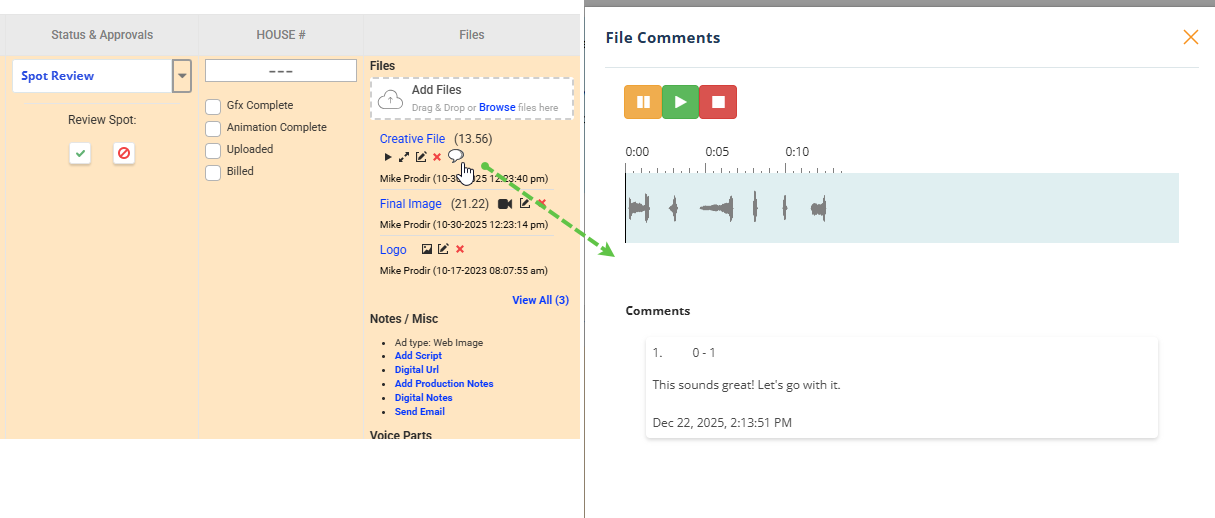
Any annotations made by the Advertiser will show in a talk bubble icon next to the file in the Production List view.
If you have any questions, please reach out to the station/prod house that granted you access.