PromoSuite Mail gives you the opportunity to send out birthday emails automatically on or before your listener's birthdays.
It's also a great opportunity to monetize the PromoSuite Mail platform for your station. For example, you can get a sponsorship from a local bakery to have their ad in the birthday email, and the listener can show them the ad and get a free cupcake.
- Create a birthday email template (or use an existing template).
- Go to Email Management > Birthday Email.
- Give the birthday email a campaign name.
- For the To dropdown, you can select Entire Database if you want to send to everyone in the database on their birthday if they have one in their record. Or if you have a specific Birthday signup page already created, you can select that.
- Make sure the From Name, Reply To, & Subject fields are appropriately filled out.
- Click on Use a Template & then My Saved Templates, & select the birthday template you created.
- Once you create your email how you want it to look, click Save.
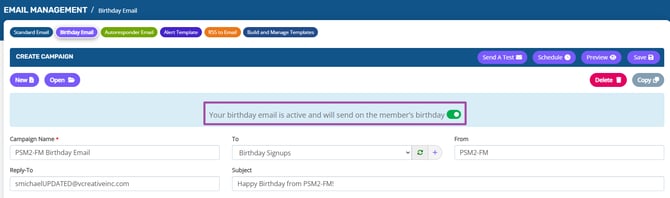
- Once saved, there will now be a toggle button to Activate the email. Once activated, it will automatically send out to your listeners on their birthday. The email will be sent out at 3am Eastern.
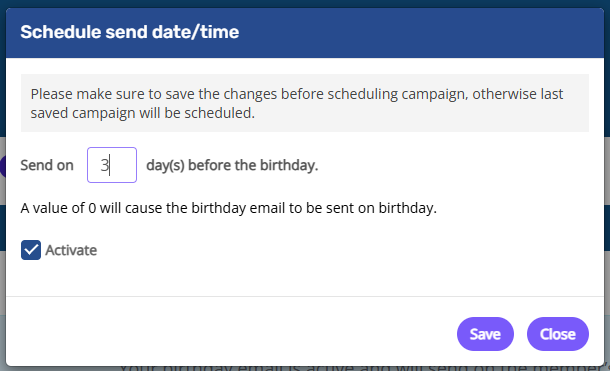
- If you want to send it out before the listener's birthday, you can click on the Schedule button & update the number of days before to send out.