![vCreative_Logo_RGB.png]](https://vcreativeinc.com/hs-fs/hubfs/vCreative_Logo_RGB.png?width=200&height=38&name=vCreative_Logo_RGB.png)
Changes to know about your vCreative process once the integration is in place:
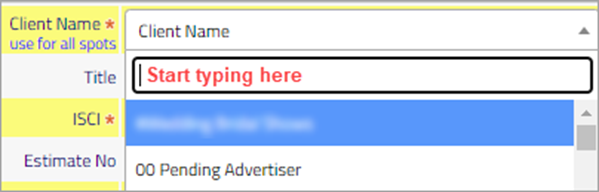
Client List:-The Client Name list in vPPO is synced to WideOrbit Traffic. It is now a combined type ahead, drop down list and displays the advertisers entered in WO Traffic. Use the search row to quickly find your Client by typing the first few letters of the Client name. As you type the full client list will appear and allow you to quickly filter to your client.
-Use the 00 Pending Advertiser client for Spec Spots where the new has not yet been entered into WO Traffic.
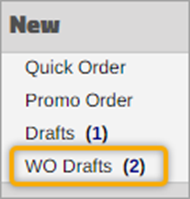
-AE’s will now see a WO Draft folder in their left navigation panel in vPPO. Once a WO Traffic order has been approved and processed, that WO Traffic contract creates a draft spot in vPPO.
-Part of the WideOrbit Integration includes the ability to send spot data to WideOrbit Traffic to create the material and have the house number automatically populate to vPPO. You will see a Material Group drop down list and a Get Cart ID button in vPPO. This functionality will be covered in training. You can still manually enter the cart number prior to training.
Traffic Refresh:-WideOrbit Advertisers are synced nightly to vPPO. Users with the Traffic role in vPPO will have a Traffic icon next to the Search icon that will initiate an update of Advertisers from WideOrbit Traffic to vPPO. If an advertiser is entered during the day, use the Traffic Refresh button to have that advertiser appear in the vPPO Client list. The Traffic Refresh button can be activated only once an hour per person.